

Build production Next.js apps with AI without starting from scratch.
Most starter kits give you a framework and wish you luck. Stackkeel gives you an application: a member portal, an admin control plane, sign-in with two-factor auth, roles and permissions, an audit log, queued email, a support-ticket system, runtime theming, and native mobile foundations, already wired together and tested. You personalize it in one guided session, then build your product on top with whatever AI coding assistant you use.
Why Stackkeel
Section titled “Why Stackkeel”The keel is the first thing a shipyard lays down: the spine the whole vessel is built on. Stackkeel is that keel for your stack.
Production foundation. Authentication, RBAC, admin screens, audit logging, email, helpdesk, theming, and mobile are finished infrastructure, not TODO comments. More than 1,000 unit tests and a Playwright suite ship with the kit.
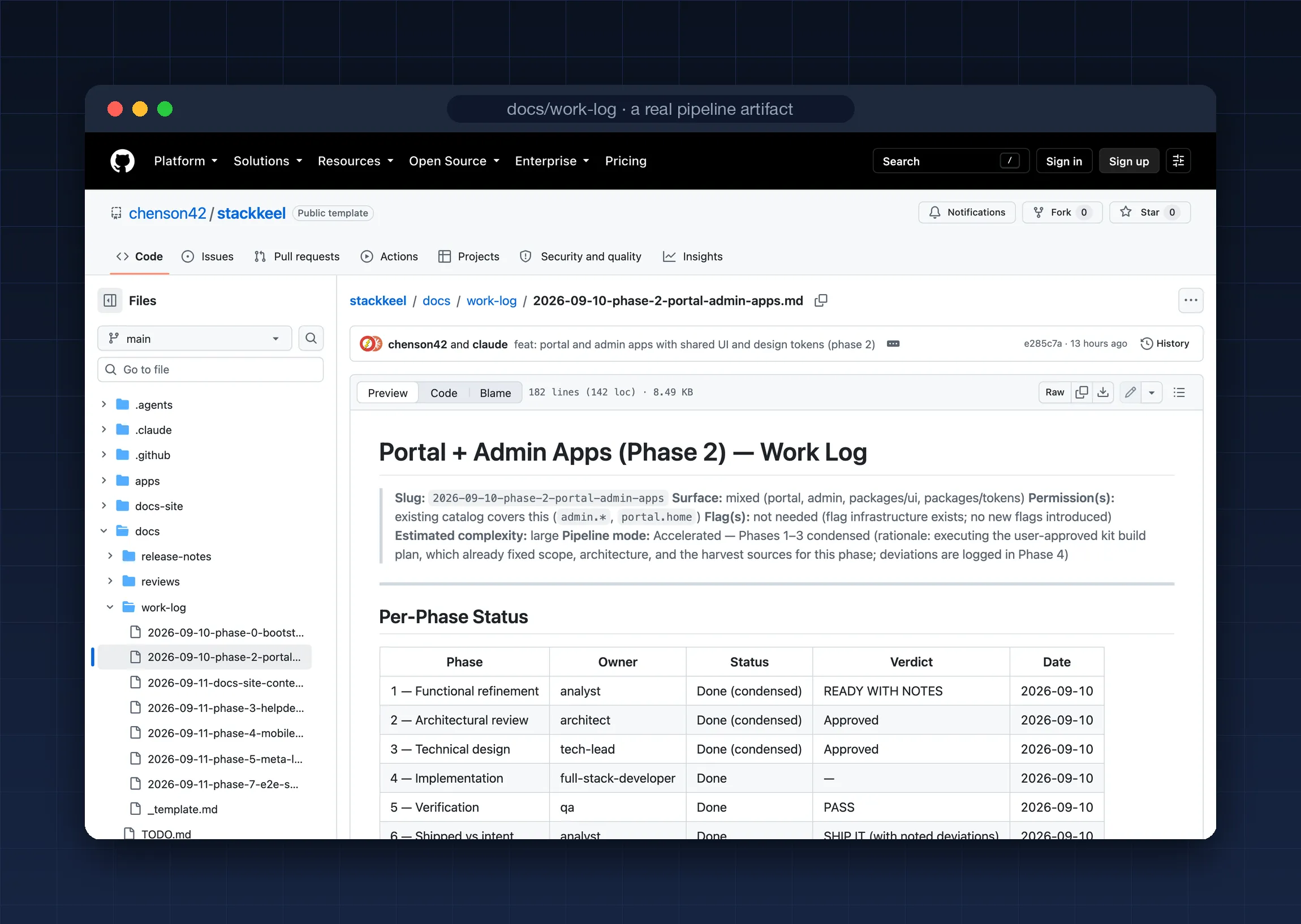
Evidence-disciplined workflow. A structured six-phase development pipeline where a claim is either Verified (the implementation was read, file and lines cited) or Indicative (everything else), each phase re-derives its predecessor’s claims before trusting them, and the gates live in git hooks and CI. The kit’s own work logs are the receipts. The process lives in the repository, so it survives context resets and model upgrades.
No model lock-in. Instructions use the AGENTS.md standard and skills use the Agent Skills format. Use Claude Code today and Codex tomorrow; the project treats them the same. How that works.
What it looks like
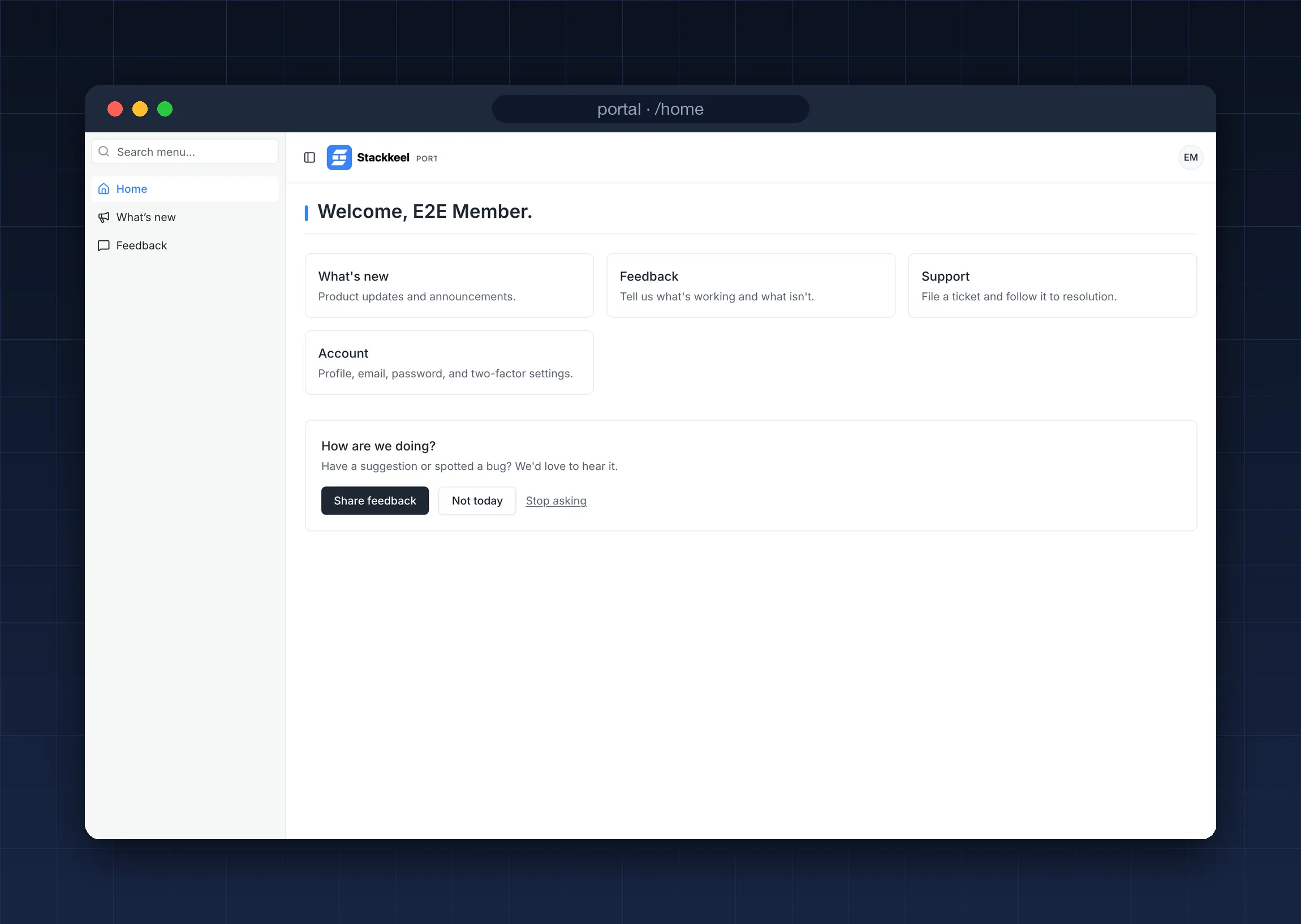
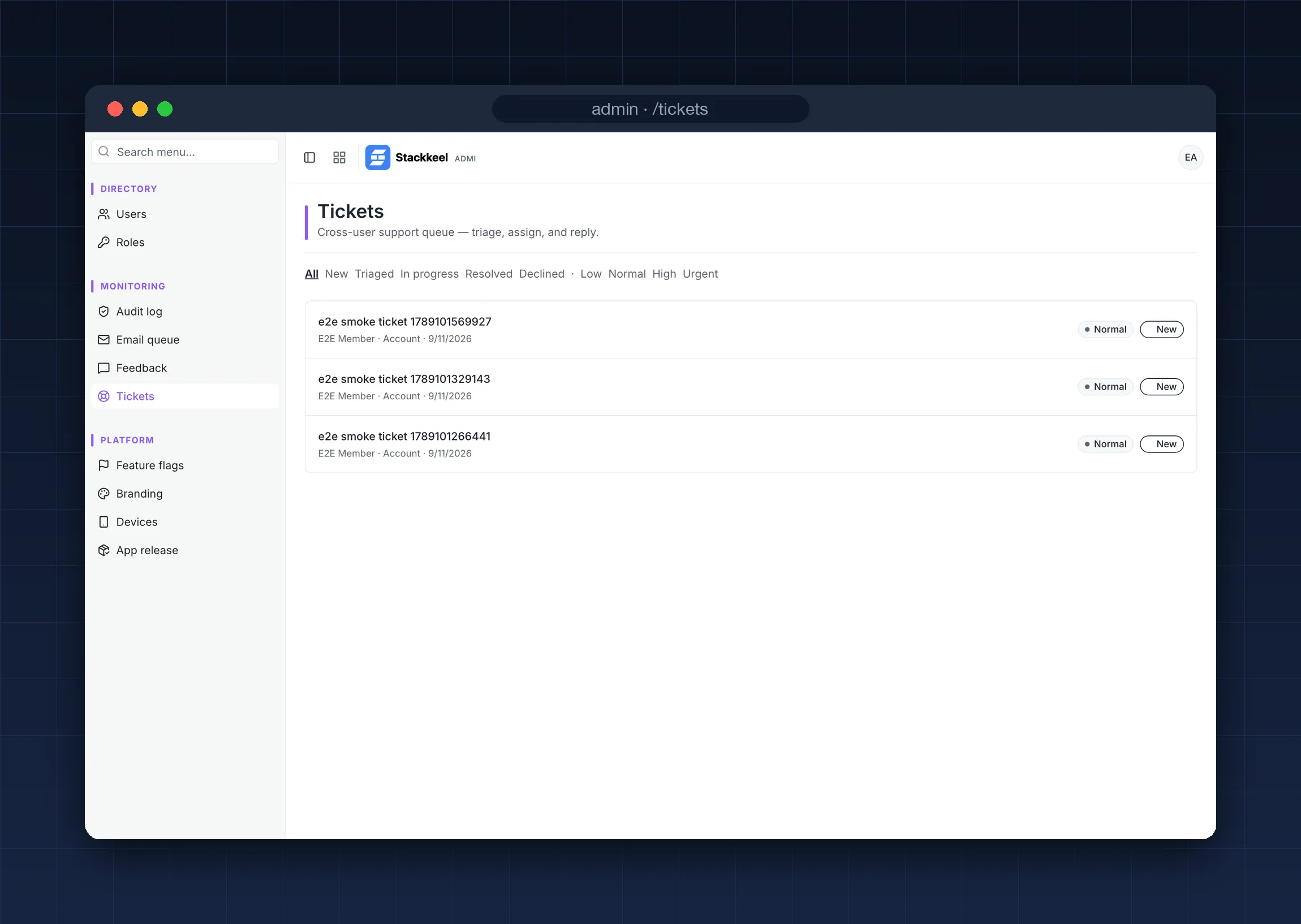
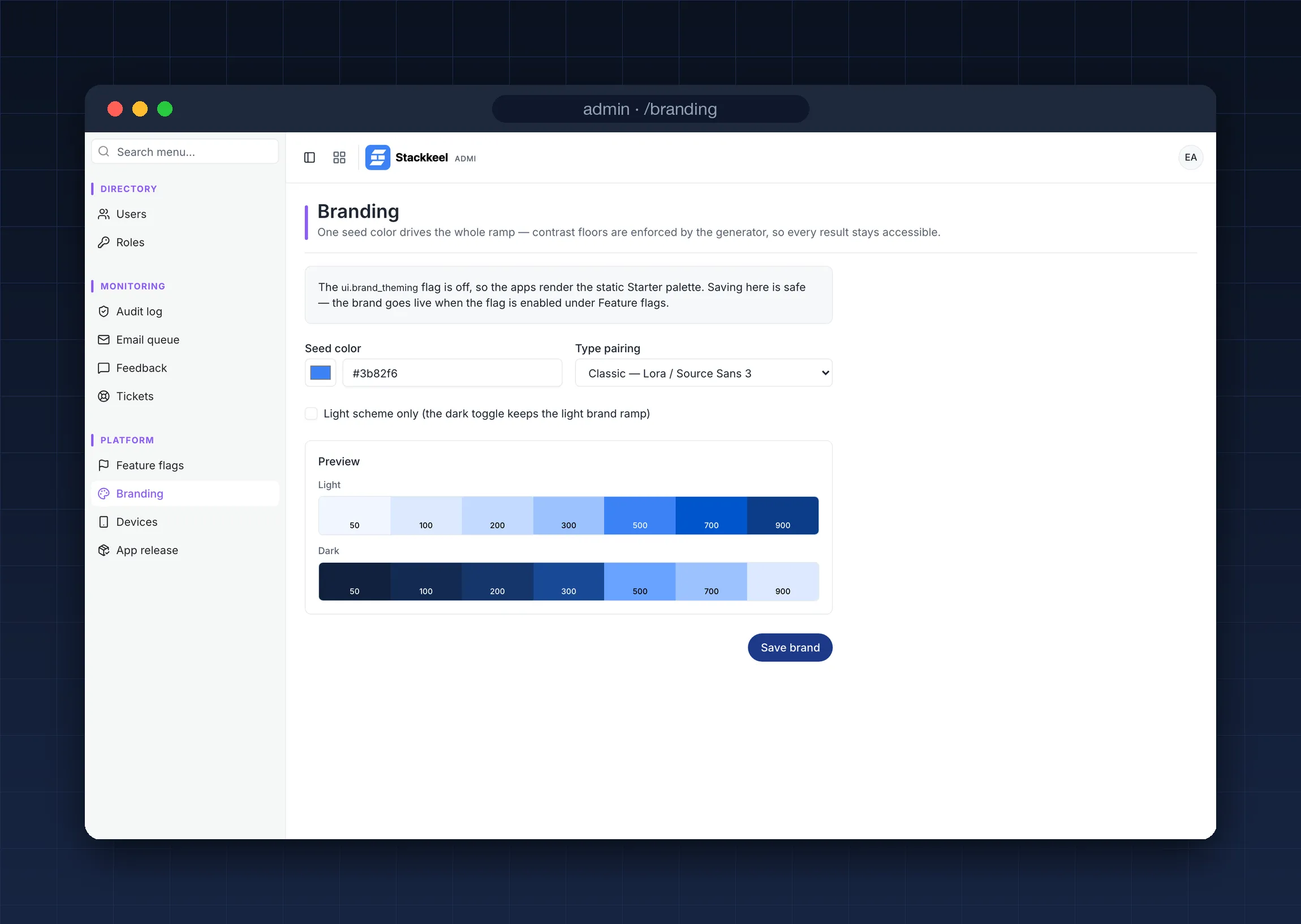
Section titled “What it looks like”Actual screenshots of the shipped apps, running the kit’s placeholder brand.
Production features included
Section titled “Production features included”Identity and security. Email/password, Google sign-in, native Google ID-token sign-in for mobile, and a config-driven OIDC slot for Okta, Entra, or Auth0. TOTP two-factor auth with recovery codes, account lockout, rate limiting, and CSRF-safe forms. Details.
Access control. Role-based permissions with a feature catalog, an admin role that cannot lock itself out, and a role-editing matrix in the admin app. Details.
Operations. An append-only audit log with CI-enforced coverage, feature flags, health endpoints, and scheduled cleanup jobs. Details.
Communication. Database-queued email with retry and backoff, delivery webhooks, an admin queue viewer, and “What’s New” release announcements. Details.
Support. In-app user feedback that an admin can promote into a full support ticket, threaded ticket conversations, and a triage queue with assignment, priority, and status controls. Details.
Branding. One seed color generates complete light and dark themes with WCAG contrast floors enforced by property tests. Editable at runtime from the admin app. Details.
Mobile. A Capacitor shell that wraps your deployed portal for the app stores, an Expo app with device pairing and an offline queue, and admin-controlled minimum-version gating. Details.
Works with your AI
Section titled “Works with your AI”Claude Code · OpenAI Codex · GitHub Copilot · Cursor · Gemini CLI
One instruction file, one skill format, one enforcement layer. Every assistant that reads the kit’s AGENTS.md and Agent Skills gets the same project knowledge and hits the same git-hook and CI gates. Read One AI workflow, any coding assistant for the full story, or Why Stackkeel for the essay that started it.
A starter kit that doesn’t become abandoned boilerplate
Section titled “A starter kit that doesn’t become abandoned boilerplate”Most templates are a one-time copy. Stackkeel has a lifecycle.
- Copy. Create your repository from the GitHub template.
- Personalize. Your AI assistant interviews you, removes the apps and features you don’t need, applies your brand, and records everything in a manifest. The kit detects an unpersonalized copy and insists.
- Build. Develop with the six-phase workflow, in whichever assistant you prefer.
- Stay current.
/upstream-syncclassifies new kit commits into a punch-list you review, skipping modules you removed. Nothing is ever auto-applied. - Contribute back.
/downstream-syncpackages your generic improvements as executable specs the kit can adopt.
Under the hood
Section titled “Under the hood”| Piece | What it is |
|---|---|
apps/portal |
Member-facing Next.js app: home, account, 2FA, support, feedback |
apps/admin |
Admin control plane: users, roles, flags, audit, tickets, branding |
apps/shell |
Capacitor 8 shell (iOS and Android) that loads the deployed portal |
apps/mobile |
Expo app consuming the portal’s API with device tokens |
packages/db |
Drizzle ORM schema, module-tagged migrations, seeds |
packages/auth |
NextAuth v5 factory: providers, 2FA, lockout, session projection |
packages/permissions |
Feature catalog, role model, anti-lockout guarantees |
packages/brand |
OKLCH theming engine: contract, generator, emitter |
packages/ui + tokens |
Shared component library and cross-platform design tokens |
Stack: Next.js 16, React 19, TypeScript strict, Tailwind CSS 4, Drizzle + Postgres (Neon-ready), NextAuth 5, Turborepo + pnpm, Vitest + Playwright. The architecture page covers the layout and the invariants that hold it together.
Why not just create-next-app?
Section titled “Why not just create-next-app?”create-next-app gives you a framework. Stackkeel gives you an application
foundation: the framework plus auth, admin, RBAC, audit, email, support, mobile, an
AI workflow, and a maintenance lifecycle. Compared with kits like create-t3-app or
Makerkit, the difference is the AI-native layer: a repository-resident development
process, personalization that strips what you don’t need, and two-way sync with the
upstream kit. The full comparison covers when each choice is the
right one.
License and status
Section titled “License and status”MIT licensed and free. Version 0.1, released September 2026: new, and built, tested, and shipped end-to-end by the same AI workflow it contains. That claim has receipts: the kit’s own work logs, decision records, and review history are public in the repository, one file per feature, written before the code was. The GitHub repository is the source of truth.
Ready? Get started or use the template on GitHub.